
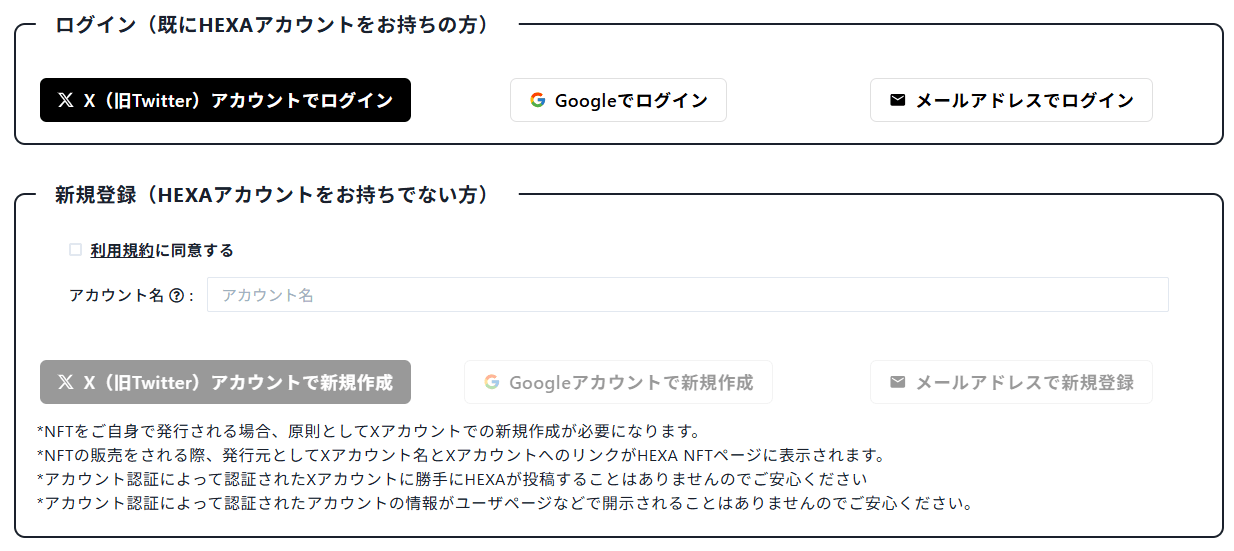
You can create a HEXA account and log in three ways: with your X (formerly Twitter) account, your Google account, or your email address.
Creating a new account
To create a new HEXA account, go to Sign up, agree to the Terms of Use, choose an account name (nickname), and then pick X, Google or email address to create your account.
If you choose "Sign up with email address", we will send a sign-up link to the email address you enter. Open the link to complete your registration (the link expires after 15 minutes).
If you already have a HEXA account with that email address, we will send you a login link instead of a sign-up link.
Logging in
If you already have a HEXA account, you can log in with your X account, your Google account or your email address.
If you choose "Log in with email address", enter the email address registered with HEXA and we will send a login link to it. No password is needed — just open the link to log in (the link expires after 15 minutes).
Note: you can log in with an email address only if the address registered on My Page is email-verified. With an address that has not been verified, the login only lets you view the NFTs you own, use tickets and take part in communities.
Linking accounts
If your HEXA account was created with X, you can additionally link a Google login to it.

Please note, however, that once you have linked a Google account, you generally cannot switch the link to a different Google account.

If your account uses X or Google, you can also register an email address on My Page and complete verification from the confirmation email (so that it shows as "Verified"). You will then be able to log in with that email address as well.